


Skip to content
Weldia
Try it free

Web apps for welding documentation

From weld drawing to welding documentation

Need a weld drawing to ISO 2553 or AWS A2.4 for your own document? Or a complete workspace for WPS and WPQR to ISO 15609, ISO 15614 and other standards? Choose what fits your work.

  • Nothing to install
  • Data stored in the EU
  • No automatic renewal

Weldia Designer

Weld drawings for your documents, with symbols to ISO 2553 or AWS A2.4.

Weldia WPS

Create and manage WPS and WPQR to , and other standards.

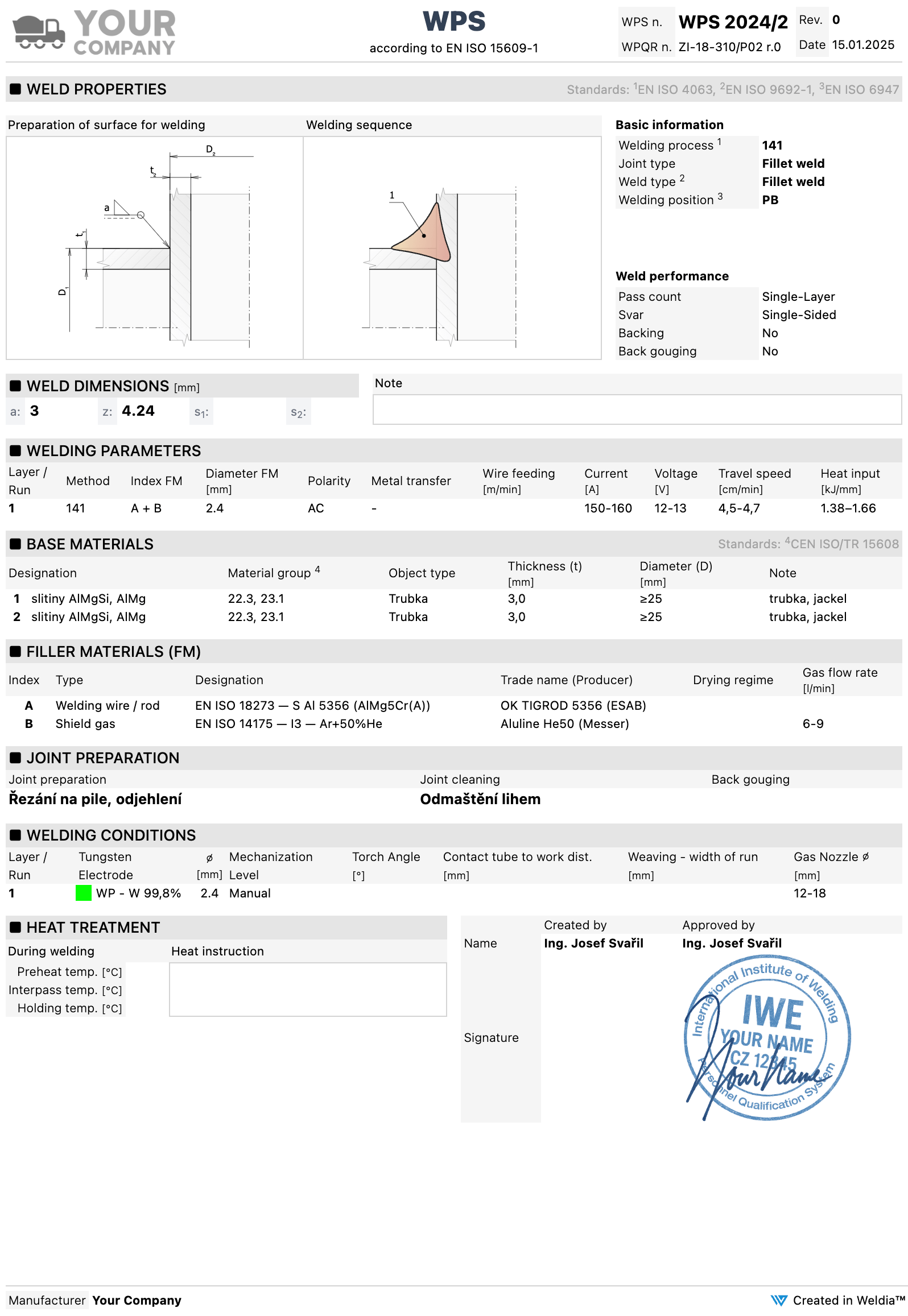
A WPS document from Weldia WPS with the joint drawing inside
Designer is includedDraw directly in Weldia WPS.

Used by fabricators, railways, energy companies and certification bodies. A selection of our paying customers.

  • Severfield
  • Siemens
  • General Motors
  • BASF
  • John Cockerill
  • Alfa Laval
  • Endress+Hauser
  • OneSubsea
  • Acuren
  • Heijmans
  • PORR
  • TWI
  • H. Cegielski – Poznań
  • VDL Container Systems
  • Westcon
  • Rockfin
  • Tigercat
  • ITCS – Institut Tècnic Català de la Soldadura
Building tools for welding
since 2013
Customers in
38 countries
Drawings created in Designer
150 000+

What our customers say about us

Locomotives and units in a České dráhy maintenance depot
České dráhy

Weld joints for railway vehicle repairs

We particularly appreciate how easy it is to create detailed sketches for WPS documentation directly in the browser, which significantly speeds up approval by welding supervisors.

Milan Kadlec

Technical specialist

České dráhy
BAUMRUK & BAUMRUK
Their applications are always fast, intuitive and save me a lot of time.

Daniel Petřík, IWT, IWI-C

Technologist, welding supervisor (Responsible Welding Coordinator)

BAUMRUK & BAUMRUK
SEA Enterprises
Weldia software has made managing WPS and WPQR much easier for us.

Ing. Miloš Jirák

Head of machine production

SEA Enterprises
Vexve
As we manage more than 1,000 WPS, this module has greatly helped us make our welding documentation work more efficient and organised.

Ing. Petr Liška

Welding engineer, EWE/IWE

Vexve

01 Start from your task

What do you need to get done?

Pick the job in front of you. Each path shows the work, the result and what it costs.

Designer

Draw a joint for your documents

A drawing with dimensions and a weld symbol for a WPS, a work instruction or an inspection record. Your own documents stay as they are.

Use Weldia Designer
WPS, Designer included

Write and manage WPS

WPS and WPQR in one searchable library, with drawings inside and an automatic check against your WPQR ranges.

Use Weldia WPS
Buying and administration

Buy licences for the company

What you get, what you pay in total and who gets the licence. With a PDF quote for your manager.

See prices and buying

02 Two products, one piece of work

Draw once, use the drawing where you need it

Designer is enough for drawings in your own documents. Weldia WPS adds the documents themselves and already contains Designer.

  1. 01

    Drawing in Designer

    Geometry, dimensions, the weld symbol and the welding sequence.

  2. 02

    Use it as you need

    PNG into your own document, or straight into a WPS in Weldia WPS.

  3. 03

    Document in Weldia WPS

    WPS and WPQR in a library you can search and reuse.

  4. 04

    One licence per user

    A WPS licence includes Designer. Nobody pays for Designer twice.

A WPS draft in Weldia WPS: both drawings come from the built-in Designer, without exporting a file.
WPS document in the editor of Weldia WPS, the weld preparation and the welding sequence drawn in Designer

03 Real output instead of promises

This is what the finished work looks like

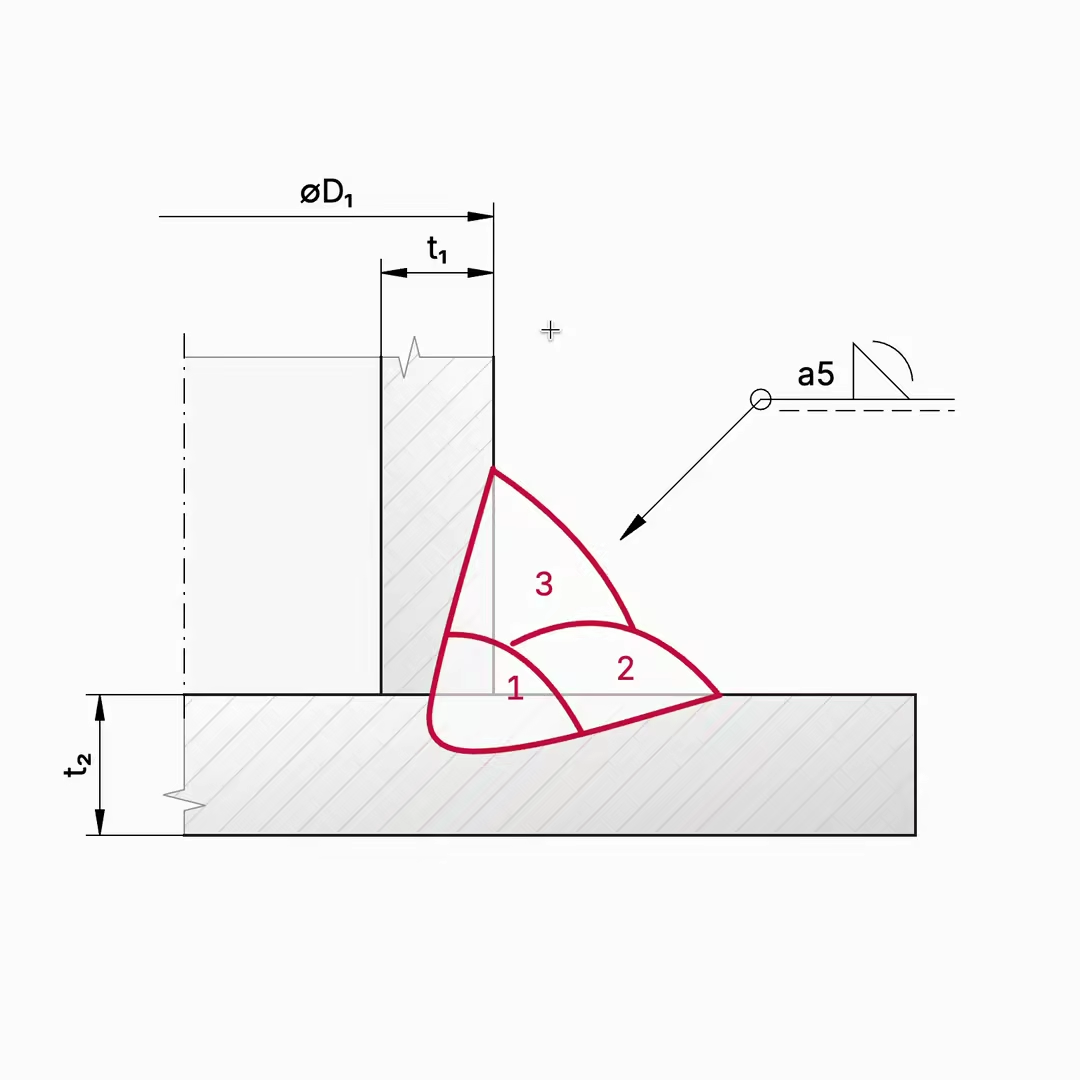
Straight from the Designer export, no retouching: for a WPS, reinforcement, testing and brazing.

Explore the examples
Pipe V-weld in seven passes, torch angles and execution class EXC3 in the symbol
Butt joint of B500B reinforcing bars on a backing, 60° groove, root face and gap
Rows of hardness indentations across base metal, HAZ and weld, for a test report
Brazed socket joint of copper pipes, CuP 284 filler, for a brazing procedure
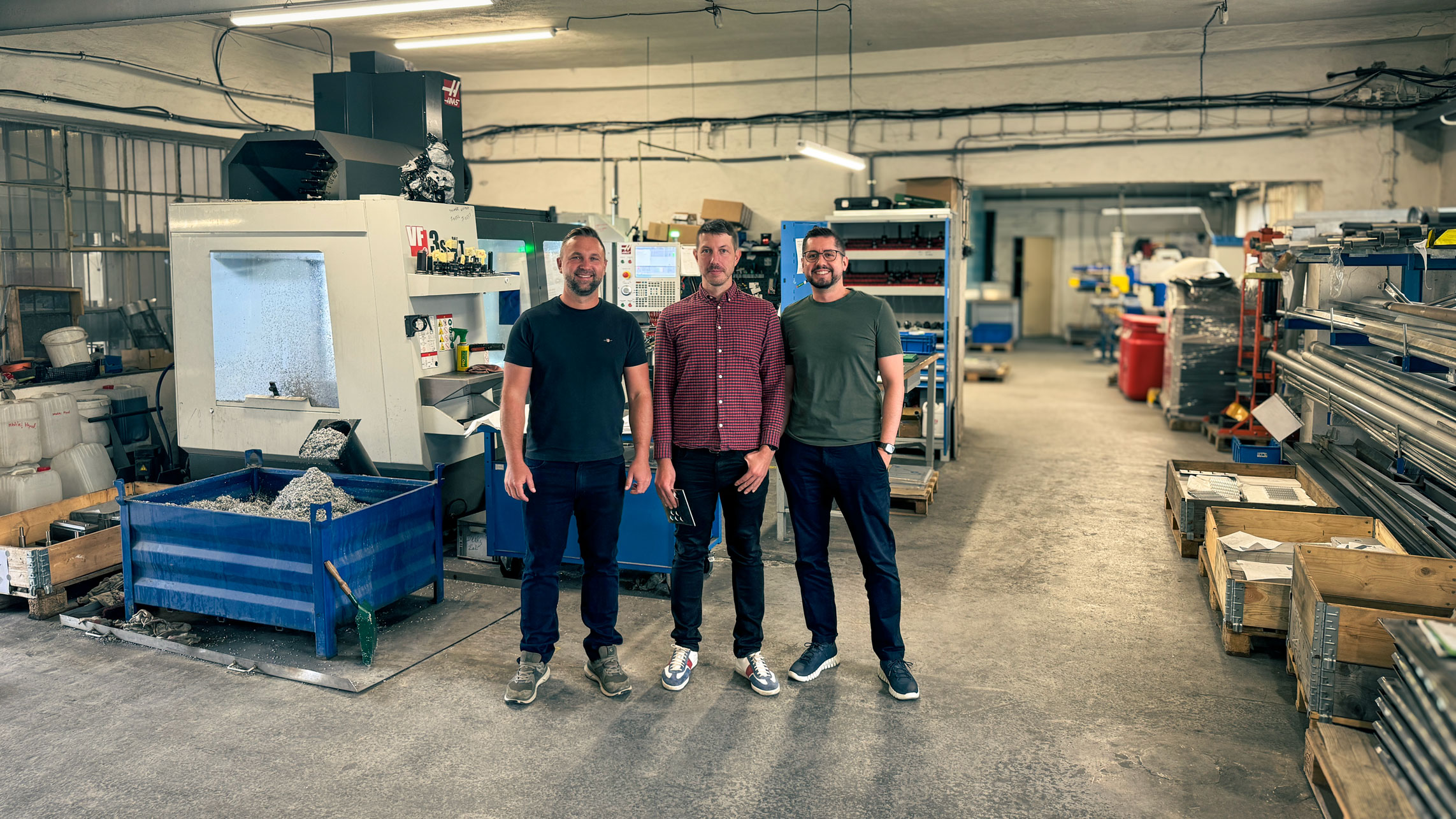
The founders of Weldia in a workshop

04 The people behind Weldia

We combine welding expertise, product design and software engineering.

Since 2013, we have been building tools for welding documentation together. We turn experience from welding practice into applications that make everyday work with weld drawings, WPS and WPQR easier.

Ing. Michal Michajlec

Ing. Michal Michajlec

Welding expertise and standards

Combines practical experience as a welding engineer with the requirements of standards and ensures the technical accuracy of the applications.

Ing. Pavel Fidrmuc

Ing. Pavel Fidrmuc

Product design and user experience

Designs how people work with Weldia. Turns complex requirements from welding practice into a clear interface, so creating documentation takes as few unnecessary steps as possible.

Bc. Tomáš Kubát

Bc. Tomáš Kubát

Software architecture and development

Designs and develops the technology behind Weldia applications. Connects weld joint drawing with documentation management and ensures the applications are fast, reliable and secure.

When you need advice, you speak directly with us, the founders and creators of the applications.

05 Predictable prices

You see the full amount before you order

A licence for one user and a term you choose, paid once. Nothing renews by itself.

Designer PRO

Weld joint drawings

168 US$

per user for a year, excl. VAT

Also for 1, 3 or 6 months, or 3 years.

WPS PRO

WPS and WPQR documents, Designer included

840 US$

per user for a year, excl. VAT

Also for 3 years.

06 Getting started

Try it on a joint you know

Create an account and the Designer trial starts. Ask for a WPS trial from the account.

Try Designer

The full Designer for a trial, export without watermark. It starts when you create an account.

Check WPS on your own document

Trial access to Weldia WPS on request. Prepare one representative WPS and see the whole workflow on it.

07 Before you start

Questions we hear first

Anything else? Write to us

Do I have to install anything?

No. Weldia runs in a current browser on a computer or a tablet. You sign in and work, updates are included.

Can I keep my documents in Word or Excel?

Yes. Designer exports PNG in print resolution, also in black and white, which you paste into any document. Moving the documentation itself into Weldia WPS is a separate choice.

Where is my data stored?

In Frankfurt, Germany, with daily encrypted backups in another EU location. Details are on the Data and security page.

Does the licence renew automatically?

No. You pay once for the term you choose, we do not store card details, and you renew from your account when you want to.